
Invideo AI: review, pricing and alternatives
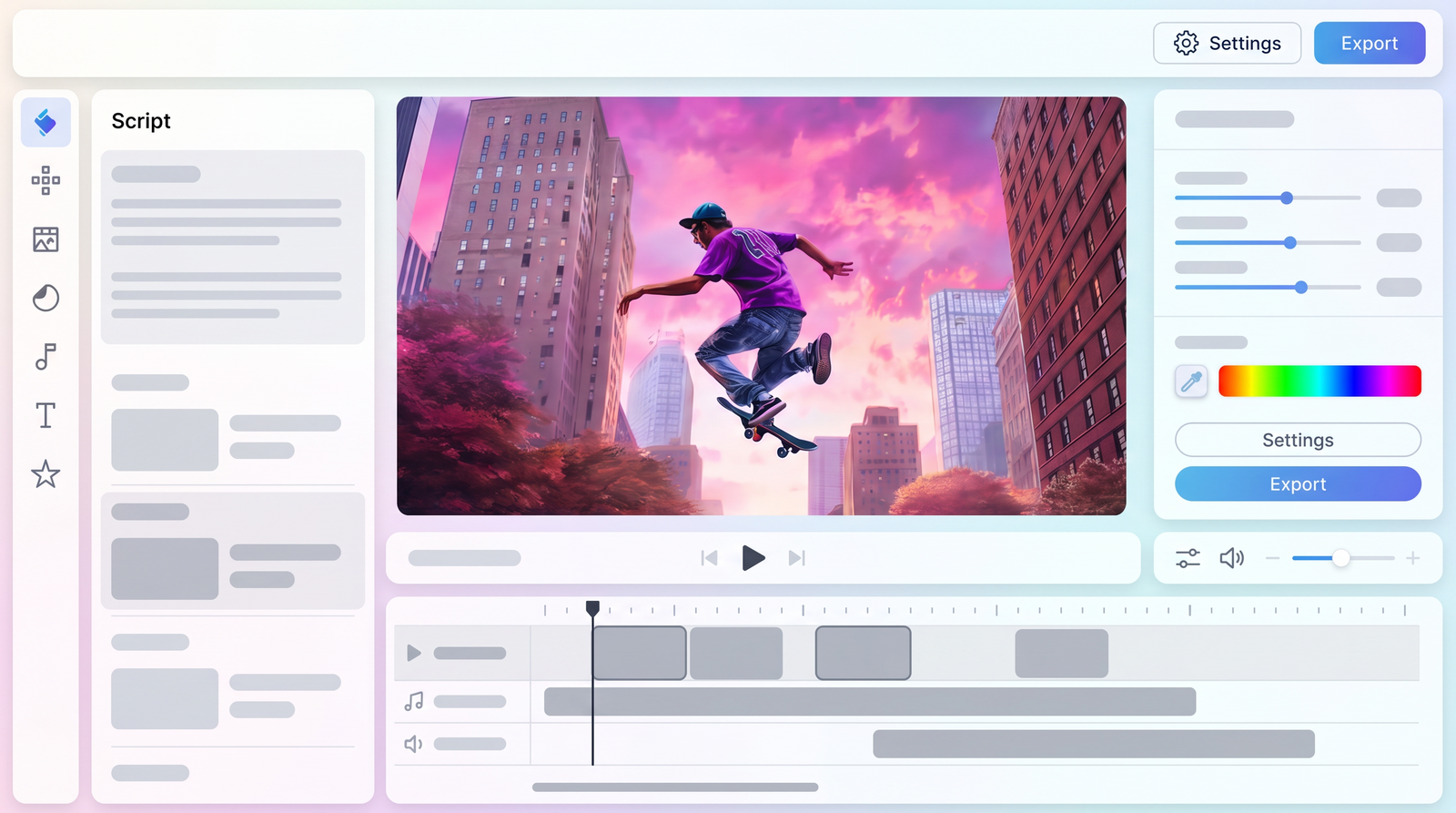
Invideo AI Review 2026: The Quick Take
When you're looking to churn out video content at lightning speed without needing to be a seasoned editor, Invideo AI is designed to be your go-to. At its core, this platform takes your text prompts and ideas, then automatically transforms them into complete videos – script, voiceover, visuals, music, and even captions – often in under ten minutes. It’s a significant evolution from its template-based origins, now firmly positioned as an AI-first tool.
For anyone needing to produce a high volume of content for social media, quick explainers, or internal communications, Invideo AI offers a compelling solution. What immediately stands out in 2026 is its unique value proposition: bundled access to advanced generative AI models like OpenAI's Sora 2 and Google's VEO 3.1, which, if you tried to access them individually, would cost a small fortune. This integration alone makes its pricing tiers incredibly attractive.
However, my hands-on experience quickly revealed that while it excels in speed and accessibility, it often trades precision and creative control for that efficiency. You'll get something usable, yes, but if your brand demands highly specific visuals, nuanced storytelling, or intricate editing, you might find yourself wrestling with its limitations. Think of Invideo AI as a powerful first-draft generator that gets you 80% of the way there, especially if you're not a professional video creator.
So, my concise verdict is this: Invideo AI is an excellent tool for rapid content creation, particularly for non-professionals and small teams looking to scale their video output quickly and affordably. If speed and quantity are your priorities over bespoke, highly polished, and unique creative output, then Invideo AI delivers significant value, especially considering its integrated cutting-edge AI capabilities.
What is Invideo AI? Understanding the Tool
Invideo, as a company, has been around since 2017, originally making a name for itself as a template-driven video editor under the moniker 'InVideo Studio.' While that traditional editor still exists and serves a purpose, what most people refer to as 'Invideo' today is its revolutionary AI-powered counterpart: Invideo AI. This platform represents a fundamental shift from manual editing to an AI-first approach, where the heavy lifting of video creation is handled by artificial intelligence.
At its heart, Invideo AI is designed to solve a very common problem: the need for video content by individuals or small businesses who lack the time, skills, or budget for traditional video production. Imagine simply typing out an idea or pasting a block of text, and within minutes, having a complete video package. This includes an AI-generated script, a natural-sounding voiceover, relevant stock footage or images, background music, and even synchronized captions.
The evolution from a template editor to this AI-driven powerhouse is significant. It's no longer just about filling in pre-designed templates; it's about generating entirely new video compositions from scratch based on your textual input. This positions Invideo AI as a truly end-to-end solution for automated video creation, aiming to democratize video production for millions of users worldwide. The company's substantial funding and user base, reportedly 50 million users creating 8 million videos monthly, underscore its impact and continuous development in this space.
My experience with Invideo AI confirms this focus on automation and accessibility. It's built for those who might say, 'I need a video by Friday, and I'm definitely not a video person.' The platform understands this need and delivers a functional video without requiring any prior knowledge of video editing timelines or complex software. It truly aims to be a one-stop shop for getting video content out the door with minimal fuss.
Key Features and Capabilities
When I first dove into Invideo AI, I was particularly keen to explore its touted features, and it quickly became clear where its strengths lie. One of the most impressive capabilities, and certainly a major draw for me, is its advanced voice cloning and multi-language output. The AI-generated voiceovers are remarkably natural, and the ability to produce videos in over 50 different languages significantly broadens its appeal for global content creators or businesses targeting diverse audiences.
However, the absolute headline feature that sets Invideo AI apart in 2026 is its strategic integration with cutting-edge generative video models. You get bundled access to OpenAI's Sora 2 and Google's VEO 3.1. Let me tell you, that's a game-changer. Accessing Sora 2 alone through other avenues could cost you upwards of $200 per month, and VEO 3.1 Ultra isn't far behind at around $250 per month. To have both of these powerful models contributing to your video generation, even at a foundational level, starting from Invideo AI's lower-tier plans, represents an incredible value proposition that I haven't seen matched elsewhere.
Beyond these high-tech integrations, Invideo AI also offers robust script generation. You can start with a simple idea, and the AI will help structure a coherent narrative, breaking it down into scenes and suggesting appropriate visuals. This is a huge time-saver, especially if you're not a natural scriptwriter. Coupled with this is extensive access to stock media libraries, ensuring that your AI-generated videos are visually rich and professional-looking, even if you don't have your own footage.
The platform also includes automated music selection and the ability to add captions, further streamlining the production process. While these features might seem standard for AI video tools, their seamless integration and the sheer speed with which Invideo AI compiles all these elements into a cohesive video are what make them truly effective. It means less time hunting for assets and more time focusing on your core message.
How Invideo AI Works: From Prompt to Video
The beauty of Invideo AI lies in its streamlined workflow, which truly simplifies the journey from an initial idea to a finished video. For me, the process usually starts with a simple text prompt – it could be a few keywords, a paragraph describing a concept, or even a full script I've already written. I just input my text, select a few basic preferences like target audience, platform (e.g., YouTube Shorts, Instagram Reel), and tone, and then let the AI take over.
Once I hit 'Generate,' the AI gets to work. It first analyzes my prompt to understand the core message and then drafts a script. This script is then broken down into individual scenes, with the AI suggesting appropriate stock footage or images for each segment. It also selects a suitable voiceover artist (or uses a cloned voice if I've set that up) and background music to match the video's theme and tone. The entire process is surprisingly fast; I've often seen a complete first draft ready in a matter of minutes.
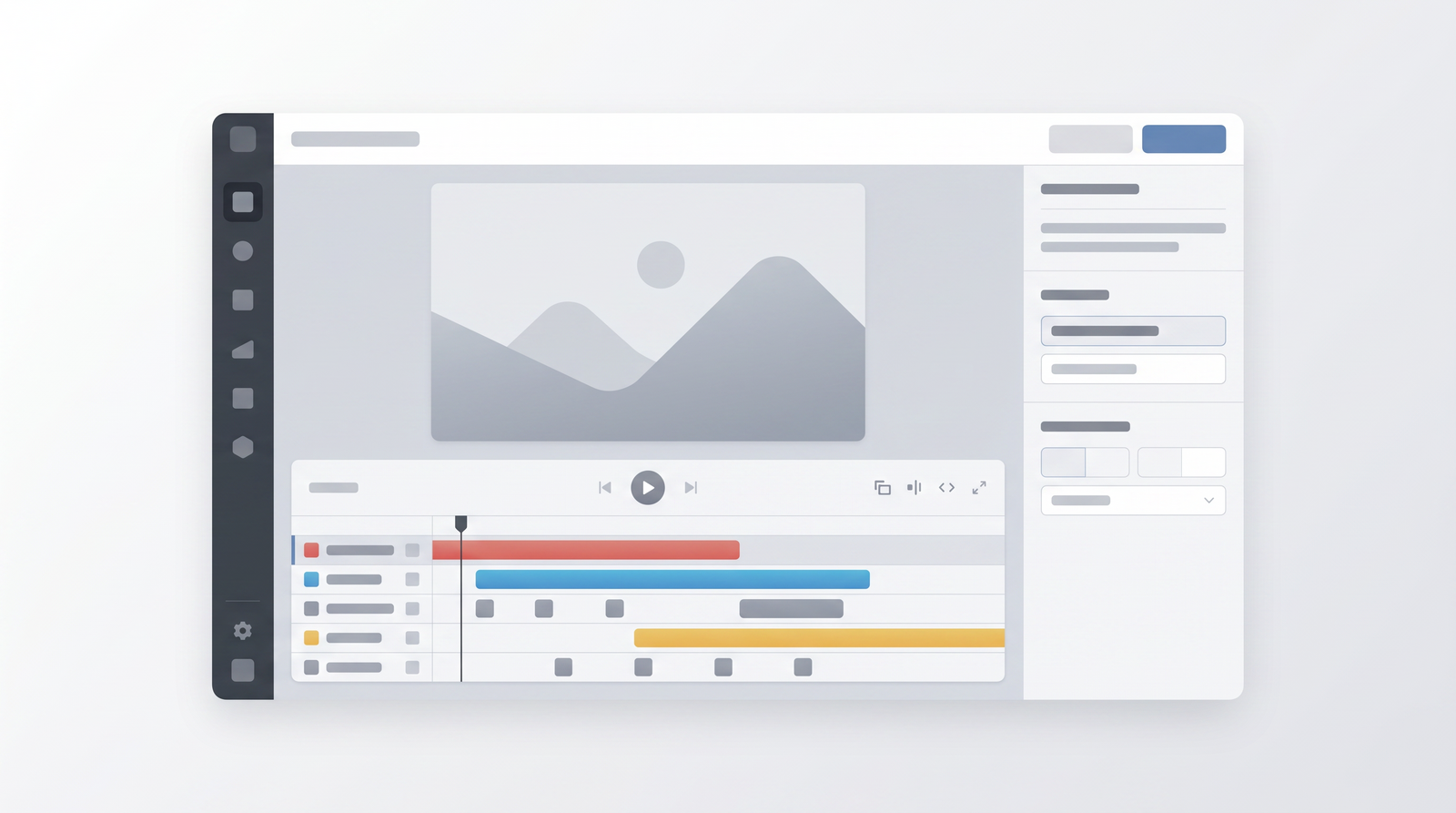
What's particularly impressive is how much of the work is done automatically. As one user aptly put it, the AI handles about 80% of the video on day one. This initial output is essentially a fully formed video, ready for review. From there, I have options to refine it. I can tweak the script, swap out visuals if the AI didn't quite nail the context, adjust the voiceover style, or change the music track. While it's not a traditional timeline editor like Premiere Pro or DaVinci Resolve, it offers intuitive controls to make these adjustments.
The editing experience is more about directing the AI than manually cutting clips. You can tell it to 'make this scene shorter,' 'find a different visual for this sentence,' or 'change the voiceover to a female narrator.' This conversational approach to editing is great for beginners who might be intimidated by complex interfaces. It aims to keep the user experience as simple as possible, allowing for quick iterations without requiring deep video editing knowledge.

Pricing Plans and Value Proposition
Understanding Invideo AI's pricing structure is crucial to assessing its value, especially given its bundled access to advanced AI models. As of early 2026, the platform offers several tiers: a Free plan, and then paid subscriptions including Plus, Max, and Premium. These plans are primarily differentiated by the number of AI generation minutes you get, storage capacity, and the allocation of iStock credits, which are vital for accessing premium stock media.
The Free plan is a good starting point, offering 2 AI video minutes per week, though it comes with a watermark on your output. This is perfect for testing the waters and seeing if the workflow suits your needs without any financial commitment. However, if you're serious about consistent video creation, you'll quickly find yourself needing more.
Moving up, the Plus plan, typically around $25 per month (or less with annual billing), provides 50 AI minutes, 100GB of storage, and 95 iStock credits. The Max plan, at roughly $60 per month, significantly boosts these limits to 200 AI minutes, 400GB storage, and 320 iStock credits. For heavy users, there's a Premium tier at around $120 per month with even higher limits. It's important to remember that 'AI minutes' accumulate quickly, especially if you regenerate scenes or entire videos multiple times.
What truly elevates the value proposition of these paid plans, in my opinion, is the integrated access to Sora 2 and VEO 3.1. When you consider that these cutting-edge generative video models would cost hundreds of dollars monthly if accessed independently, getting them as part of an Invideo AI subscription starting at $25 is an undeniable advantage. This makes Invideo AI a highly cost-effective gateway to some of the most advanced AI video generation technology available, especially for those who need to scale content production without breaking the bank.
| Plan | Price (approx.) | Best for |
|---|---|---|
| Free | $0 | Experimenting, occasional short videos with watermark |
| Plus | $25/month (or $20/month annually) | Individuals, small teams needing moderate video output, access to bundled AI models |
| Max | $60/month (or $48/month annually) | Growing teams, frequent video creators, higher volume of content |
| Premium | $120/month | Heavy users, agencies, high-volume content demands |
Performance, Output Quality, and Editing Control
When evaluating Invideo AI, the first thing I noticed was its remarkable speed. The platform genuinely lives up to its promise of generating a video in minutes, which is a huge advantage for anyone on a tight deadline. This rapid turnaround is, without a doubt, one of its strongest selling points. However, speed often comes with trade-offs, and this is where the nuances of output quality and editing control become apparent.
In terms of output quality, I found it to be a mixed bag. The voiceovers, especially in 2026, are quite good – very natural and articulate, which is crucial for viewer engagement. The background music selection is usually appropriate, and the captions are accurately synchronized. Where it can fall short, however, is in the visual department and script originality. While it pulls from extensive stock libraries, the visuals can sometimes feel generic or not perfectly aligned with the nuanced meaning of the script. The AI-generated scripts, while coherent, can sometimes lack the unique voice or depth required for truly compelling storytelling, often feeling a bit formulaic.
My biggest point of contention lies with editing control. For simple changes, the interface is manageable, but for anything beyond basic adjustments, it can become frustrating. If you're accustomed to the granular control of traditional video editing software, you'll find Invideo AI's editing options quite limited. It's more about guiding the AI to find different assets or rephrasing text than it is about precise cuts, transitions, or bespoke visual effects. This lack of fine-tuned control means that while it gets you most of the way there quickly, achieving a highly polished, brand-specific, or creatively unique final product can be challenging.
Invideo AI is fast for quick social drafts, but it lacks creative control for serious brand work.
This limitation is particularly evident when working with strict brand guidelines or when trying to convey complex narratives. The AI, while intelligent, still struggles with the kind of artistic precision and detailed storytelling that human editors and creators bring to the table. So, while you get speed, you often sacrifice a degree of creative freedom and the ability to achieve truly bespoke results.
Pros and Cons of Invideo AI
Having spent considerable time with Invideo AI, I've developed a clear picture of its strengths and weaknesses. On the positive side, the sheer speed of video generation is undeniably its biggest asset. If you need content, and you need it now, Invideo AI delivers. This makes it genuinely beginner-accessible; you don't need any prior video editing knowledge to produce something usable. I also found their customer service to be quite responsive and helpful, which is always a plus when you're navigating a new tool.
Another significant advantage, as I've mentioned, is the bundled access to advanced AI models like Sora 2 and VEO 3.1. This is a massive value proposition that sets it apart from many competitors. It essentially democratizes access to cutting-edge AI video generation that would otherwise be prohibitively expensive. For social media marketers or small teams needing to pump out a lot of content, the ability to generate numerous video drafts quickly is a huge win, allowing for rapid A/B testing and content iteration.
However, Invideo AI isn't without its drawbacks. My primary frustration stems from the generic nature of the AI-generated scripts and visuals. While functional, they often lack originality and can feel somewhat bland, making it difficult to stand out in a crowded content landscape. This ties into the inconsistent precision; trying to get the AI to interpret a prompt exactly as intended can be a bit of a gamble, often requiring multiple regenerations, which eats into your AI minutes.
- Pros:
- Rapid video generation, high speed
- Genuinely beginner-friendly, no editing experience needed
- Excellent customer support
- Bundled access to Sora 2 and VEO 3.1 offers exceptional value
- Good for high-volume content for social media
Furthermore, the limited creative control for detailed brand work is a significant hurdle. If your brand has specific aesthetic requirements or a unique voice, you might find yourself constantly fighting the AI's default choices. While some users find the interface intuitive, I occasionally found the editing controls cumbersome and less precise than I'd like for anything beyond basic scene swaps. This can be particularly frustrating if you're trying to achieve a very specific look or feel for your video.
- Cons:
- Scripts and visuals can be generic and lack originality
- Inconsistent precision in interpreting complex prompts
- Limited creative control for detailed or brand-specific work
- Editing interface can feel restrictive for advanced users
- AI minutes can be used up quickly with regenerations
Who is Invideo AI For? Ideal Use Cases
Based on my extensive testing, Invideo AI isn't a one-size-fits-all solution, but it absolutely shines for specific user groups and use cases. Primarily, I see it as an invaluable tool for non-professional video creators. If you're someone who needs video content but has no background in editing, or finds traditional software too daunting, Invideo AI is built for you. It removes the technical barriers, allowing you to focus on your message rather than mastering complex tools.
Small businesses and entrepreneurs also stand to gain immensely. They often lack the resources for dedicated video teams or expensive freelancers, yet the demand for video content across social platforms is relentless. Invideo AI enables them to create marketing videos, product explainers, or promotional clips quickly and cost-effectively. It's about empowering them to maintain a consistent video presence without a significant investment of time or money.
Social media marketers, in particular, will find Invideo AI to be a powerful ally. Its strength lies in rapid content creation for platforms like TikTok, Instagram Reels, and YouTube Shorts. The ability to generate multiple drafts for A/B testing, or to quickly adapt content for trending topics, is crucial for staying relevant. It's perfect for churning out quick social drafts, short promo clips, or simple explainers on tight deadlines where speed matters more than pixel-perfect precision.
However, it's important to set expectations. If you're a professional videographer, a large brand with strict guidelines, or a content creator aiming for highly unique, cinematic quality, Invideo AI might not be your primary tool. It's not designed for complex product storytelling that requires intricate animation or bespoke visual effects. Instead, it's best viewed as a learning or convenience tool, ideal for getting a lot of functional video content out the door quickly, rather than crafting a singular, high-art piece.
Invideo AI Alternatives and How it Compares
The landscape of AI video generators is rapidly expanding, and Invideo AI certainly holds a prominent position within it. When I look at the market, I see Invideo AI as one of the leading tools, particularly for its specific niche of rapid, text-to-video generation. However, it's crucial to understand where it stands relative to its competitors, as each tool has its own strengths and weaknesses.
Many other AI video generators focus on different aspects. Some might offer more granular control over animation and visual styles, appealing to users who need a higher degree of creative input. Others might specialize in specific types of content, like presentations or animated explainers, with tailored templates and features. What often distinguishes Invideo AI is its holistic approach to generating an entire video package from a simple prompt, encompassing script, visuals, voiceover, and music.
Where Invideo AI truly stands out, in my opinion, is its unique value proposition of bundling access to advanced generative AI models like Sora 2 and VEO 3.1. This is a significant differentiator. While other tools might use their own proprietary AI or other third-party integrations, few offer direct, cost-effective access to these cutting-edge models. This integration potentially gives Invideo AI an edge in terms of the sophistication of its generated visuals and overall video quality, even if the creative control remains somewhat limited.
However, it's also where Invideo AI falls short for some users. Tools that offer more traditional timeline editing or more advanced visual customization might be preferred by those who find Invideo AI's auto-generated content too generic or its editing interface too restrictive. For instance, if I needed to create a highly specific, conversion-focused ad with precise visual cues and brand elements, I might look to an alternative that offers more detailed visual customization. You can easily see how it stacks up against alternatives on Top10k when comparing features like creative control and template flexibility. Ultimately, Invideo AI's strength lies in its speed and accessibility for general-purpose video creation, while other tools might cater to more specialized or high-end production needs.
The Verdict: Is Invideo AI Worth It in 2026?
After thoroughly exploring Invideo AI, running numerous prompts, and wrestling with its capabilities and limitations, my conclusive recommendation is nuanced. Is it worth it in 2026? Absolutely, but only if your needs align with its core strengths. For individuals, small teams, and social media marketers who need to generate a high volume of video content quickly and efficiently, Invideo AI is an incredibly valuable tool. Its ability to turn a text prompt into a complete video in minutes, coupled with the unparalleled value of bundled Sora 2 and VEO 3.1 access, makes it a compelling choice for rapid content creation.
It excels as a convenience tool, getting you 80% of the way to a finished video with minimal effort or prior experience. If your goal is to maintain a consistent video presence on social media, create quick explainers, or produce internal communications without investing heavily in traditional video production, then Invideo AI offers significant returns on your investment. The time saved alone can justify its cost, especially for those who are not professional video creators.
However, if you're a seasoned content creator aiming to build a strong brand identity, monetize a YouTube channel with highly original content, or require precise creative control over every visual and narrative element, then Invideo AI will likely leave you wanting more. Its generic scripts, inconsistent precision, and limited editing capabilities for detailed brand work mean it's not a long-term solution for bespoke, high-end productions. In these scenarios, you'd likely need to combine Invideo AI's output with more specialized editing software or explore alternatives that offer deeper customization.
In summary, Invideo AI is a powerful learning and convenience tool for quick video generation, particularly for those prioritizing speed and quantity over unique, highly polished creative output. If you're a beginner or a small business looking to scale your video content without a steep learning curve or significant budget, Invideo AI is definitely worth considering in 2026. For advanced creators, it's best seen as a highly efficient first-draft generator that can kickstart your projects, but you'll likely need other tools to bring your unique vision to full fruition.
Full profile and live ranking: https://top10k.com/ai/invideo-ai
Published by

Top10k Tools is a collection of free web apps providing 4,000+ ready-to-use tools that help make daily work easier.
The toolkit covers a broad mix of SEO tools, converters, dev utilities, and image editors. Each tool runs right in the browser, making them quick to access anywhere.
Top10k Tools is working toward reaching 10,000 useful web tools that solve real problems.
From freelancers to small teams, Top10k Tools has something useful. Give it a try.
Frequently asked questions
What are the main benefits of Invideo AI?
The primary benefits of Invideo AI include its incredible speed in generating full videos from text prompts, its ease of use for beginners with no prior editing experience, and the significant value offered by bundled access to advanced AI models like Sora 2 and VEO 3.1. It's excellent for rapid content creation, especially for social media.
Is there a free version of Invideo AI?
Yes, Invideo AI offers a Free plan. This plan typically includes a limited number of AI video minutes per week (e.g., 2 minutes) and applies a watermark to the generated videos. It's a great way to test the platform's capabilities before committing to a paid subscription.
How much does Invideo AI cost?
Invideo AI offers several paid plans beyond its free tier. As of 2026, these include the Plus plan (around $25/month), Max plan (around $60/month), and a Premium plan (around $120/month). Prices vary slightly with annual billing, and plans are differentiated by AI minutes, storage, and iStock credits.
Is Invideo AI easy to use for beginners?
Yes, Invideo AI is genuinely designed to be beginner-friendly. Its prompt-based approach means you don't need any timeline editing knowledge. You simply input your ideas or script, and the AI handles the complex video generation process, making it accessible even for those new to video creation.
What are the best alternatives to Invideo AI?
While Invideo AI is a leading AI video generator, alternatives exist that might offer different strengths. Some tools focus more on granular creative control, specific animation styles, or niche content types. The 'best' alternative depends on your specific needs, but Invideo AI stands out for its speed and bundled access to cutting-edge AI models.
Can Invideo AI create high-quality videos?
Invideo AI can create functional and professional-looking videos quickly, especially for general purposes. The voiceovers are high quality. However, the visuals and scripts can sometimes be generic, and achieving highly specific, unique, or brand-aligned creative output might require significant post-production or be challenging due to limited fine-tuned control.
Is Invideo AI worth it for professional creators?
For professional creators focused on unique, highly polished, or brand-specific content, Invideo AI might serve better as a rapid first-draft generator or a convenience tool rather than a primary, end-to-end solution. Its limitations in creative control and script originality mean that truly bespoke projects may still require more advanced editing software or a human touch.